Shipping and tracking
What happens between an order being ready and your customer getting a tracking number, and how we choose the shipping option.
From reserved stock to shipped
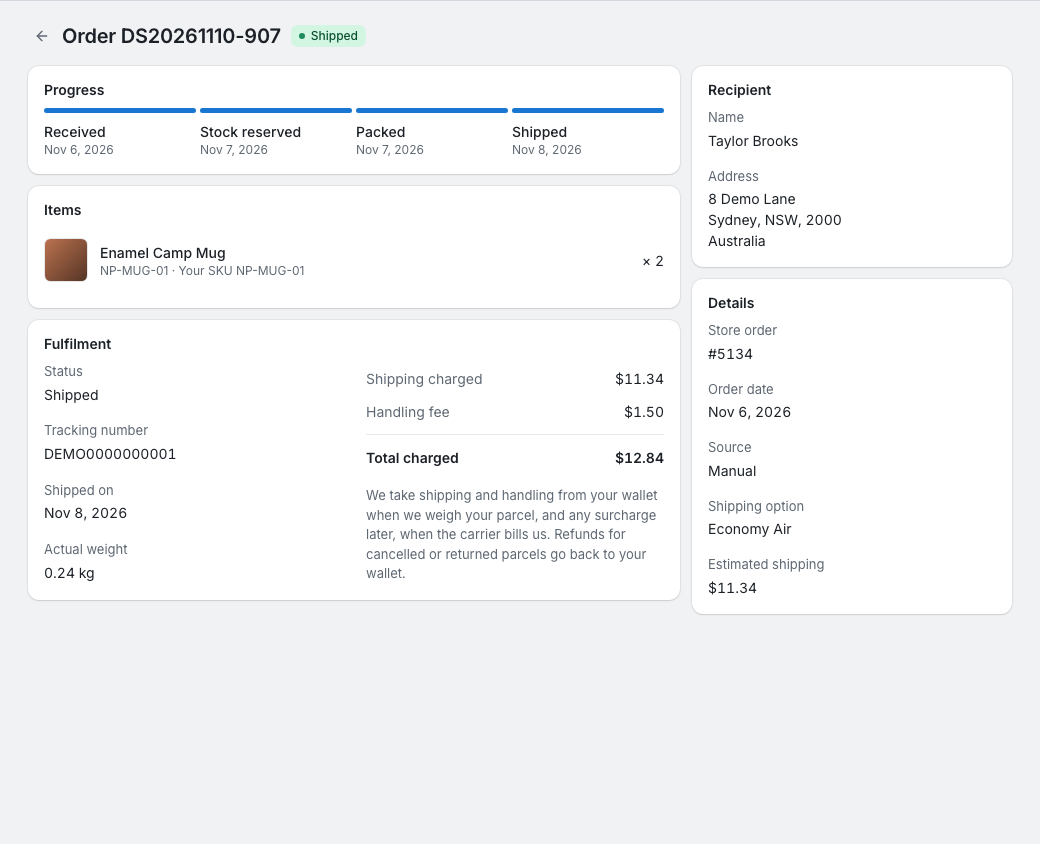
The order's Progress card follows these steps:
- Received: the order is in the portal.
- Stock reserved: everything in the order is in your stock, so we reserve it and the order is Being packed. We set aside the estimated shipping and handling in your wallet.
- Packed: we've packed and weighed the parcel and taken the shipping and handling from your wallet. The order is Ready to ship. If your wallet can't cover the charge, the order waits as Awaiting payment instead: see When you're charged.
- Shipped: the parcel has left our warehouse with the carrier.
How the shipping option is chosen
When an order is created or changed, it gets its shipping option in this order:
- The option you chose yourself in the order form.
- Otherwise your shipping preference for the order's country. We use it even if it can't take this order; the order then waits as Shipping option unavailable.
- Otherwise your default preference, All destinations (default), but only if it can ship this order.
- Otherwise none: the order waits as Choose a shipping option until you choose an option or set a preference.
An order can also show Assigned by our team: we chose its shipping option for you.
Which options can ship an order depends on the destination country, the postal code for options that price by postcode zone, the type of goods and the parcel's estimated weight. We check the parcel's size when we weigh it. The order form lists only the options that can take the order. The estimate uses your products' weights; when a product's weight isn't confirmed yet, the form says "Weight is an estimate — we'll confirm it when the goods arrive."
When we weigh the parcel, we charge for its actual weight, or for its size when the option charges by size and that comes to more. Some options also charge a minimum weight or round the weight up. If the order's option can't take the parcel (for example it's too big or too heavy), we switch it to an option that can take it, and charge for that one.
Your rates for each option and destination are on Shipping rates in the portal: see Shipping rates.
Tracking numbers
When the parcel ships, the order's Fulfilment card shows the Tracking number, with a link to the carrier's tracking page when the carrier has one, and the date it shipped. You also get a notification; orders shipped on the same day share one.
- For orders from a connected store, we send the tracking number to your store. See Store orders.
- If we correct a tracking number after shipping, the order shows the new one, and for an order from a connected store we send it to your store too.
- Your own system can follow your orders through the API and webhooks: see Webhooks.